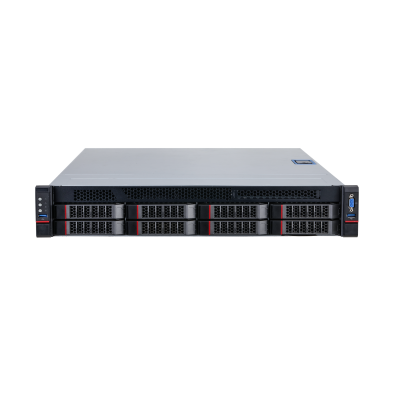
| System |
| Main Processor | Two Intel Xeon extensible processors, 10 C/20 T for each one |
| Intelligent Card | 2–6 AIX3200 intelligent analysis cards |
| Operating System | CentOS Linux release 7.4.1708 (Core) |
| RAM | Four 8 GB DDR4 memory, maximum 24 slots |
| Hard Drive | Two 3.5'' 4 TB disk which can be extended to 32TB (each disk is 4TB), with up to 8 slots
7.2K RPM SATA 6Gbps 512n 3.5'' |
| Traffic Event Detection |
| Multi-rules Application | Multiple rules can take effect simultaneously |
| Detection Area and Exclusion Area Setting | Supports detection zone and exclusion zone for the server. The server only triggers alarms for events that occur in the detection zone or outside the exclusion zone. Supports up to 1 detection zone and 10 exclusion zones |
| Real-time Display | Displays detection zone rules and the target tracking box in live view. The rule and target tracking boxes flash on screen when an alarm is triggered |
| Parking Detection | 1. Detects an event when a vehicle moves and then stops, and the stop time exceeds the defined value
1) Configure parking duration (range: 1–600 seconds, default value: 10)
2) Configure parking threshold (3 by default)
2. Alarm details: Two alarm images (with alarm frame), device, channel, event time, event name, event type, and plate number |
| Pedestrian Detection | 1. Detects an event when a pedestrian walks onto the vehicle lane or into an area where pedestrians are prohibited from entering and the duration exceeds the defined value
1) Configure the shortest duration (range: 1–300 seconds, default value: 3)
2. Alarm details: An alarm image (with alarm frame), device, channel, event time, event name, and event type |
| Non-motor Vehicle Detection | 1. Detects battery-powered two-wheelers and tricycles
1) Configure the shortest duration (range: 1–300 seconds, default value: 3)
2. Alarm details: An alarm image (with alarm frame), device, channel, event time, event name, and event type |
| Traffic Jam Detection | 1. Detects an event when a lane is congested and the duration exceeds the defined value
1) Configure lane, lane occupancy rate (range: 1–100, default value: 50), alarm interval (range: 1–300 seconds, default value: 60), delay time (range: 1–300 seconds, default value: 10) , sensitivity (range 1–10, default value is 2)
2. Alarm details: An alarm image (with alarm frame), device, channel, event time, event name and event type |
| Traffic Flow Statistics | 1. Displays traffic flow statistics in the following order: Lane > traffic flow > small vehicles > medium-sized vehicles > large vehicles > average speed > time occupancy rate > space occupancy rate > spacing > time interval > queuing length
Displays traffic flow statistics by configuration items. The default page is as follows:
1) Lane 1: traffic flow: XX small vehicles XX medium-sized vehicles XX large vehicles XX. Selected by default
● Large vehicles (bus, truck and other large-sized vehicle)
● Medium-sized vehicles (medium/small truck)
● Small vehicles (minibus)
2) Average speed, time occupancy rate, space occupancy rate, spacing, time interval and queuing length are not selected by default
3) If there are more than two lanes, the last line shows the total of all lanes: XX
2. If the operator is abnormal or restarted, traffic flows continue to accumulate with the previous value, rather than starting from 0 |
| Visibility Detection | 1. Supports detecting road agglomerate fog
1) Configure the shortest duration (range: 1–300 seconds, default value: 5), repeated alarm time (range: 1–300 seconds), and alarm threshold (range: 1–100)
2. Alarm details: An alarm image (with alarm frame), device, channel, event time, event name, event type and defog intensity |
| Littering Detection | 1. Detects an event when an object is littered by a person in a vehicle or a pedestrian disturbs traffic and the duration exceeds the defined value
1) Configure duration (range: 1–300 seconds, default value: 6) and repeated alarm time (range: 1–300 seconds, default value: 0)
2. Alarm details: An alarm image (with alarm frame), device, channel, event time, event name, and event type |
| Area Intrusion Detection | 1. Detects an event when a motor vehicle enter the detection area
1) Configure detection area
2. Alarm details: An alarm image (with alarm frame), device, channel, event time, event name, event type, and plate number |
| Illegal Lane Change Detection | 1. Detects an event when a vehicle crosses the lane line (yellow or white solid line) and the duration exceeds the defined value
1) Configure lane number, sensitivity (range: 1–10, default value: 10)
2. Alarm details: Two alarm images (with alarm frame), device, channel, event time, event name, event type, lane number, and plate number |
| Wrong-way Driving Detection | 1. Detects an event when a vehicle is moving opposite to the specified direction of the traffic and the duration exceeds the defined value. This is to prevent drivers from crossing lanes while driving.
1) Configure lane number, duration (range: 1–300 seconds, default value: 2)
2. Alarm details: Two alarm images (with alarm frame), device, channel, event time, event name, event type, lane number, and plate number |
| Reversing Detection | 1. Detects events that a vehicle moves wrong way and reverse at a highway intersection
1) Configure detection region, duration (range: 1–300 seconds, default value:3)
2. Alarm details: Two alarm images (with alarm frame), device, channel, event time, event name, event type, and plate number |
| Construction Detection | 1. Detects construction signs that are in an area for longer than the defined value
1) Configure the shortest duration (range: 1–300 seconds, default value: 5), repeated alarm time (range: 1–300 seconds, default value: 60), sensitivity (range: 1-10, default value: 5)
2. Alarm details: An alarm image(with alarm frame), device, channel, event time, event name, and event type |
| Roadblock Detection | 1. Detects roadblocks that are in an area for longer than the defined value
1) Configure the shortest duration (range: 1–300 seconds, default value: 5), repeated alarm time (range: 1–300 seconds, default value: 60), and sensitivity (range: 1–10, default value: 1)
2. Alarm details: An alarm image (with alarm frame), device, channel, event time, event name, and event type |
| Accident Detection | Detects traffic accidents in an area
1. Configure alarm interval (range 1-600 seconds, default value is 600)
2. Alarm details: An alarm image(with alarm frame), device, channel, event time, event name, and event type |
| Fire Detection | 1. Detects when a fire breaks out in an area and the duration exceeds the defined value
1) Configure the shortest duration (range: 1–300 seconds, default value: 5), sensitivity (range: 1–10, default value: 5)
2. Alarm details: An alarm image(with alarm frame), device, channel, event time, event name, and event type |
| Smoke Detection | 1. Detects when smog appears in an area and the duration exceeds the defined value
1) Configure the shortest duration (range 1-300 seconds, default value is 5), sensitivity (range 1-10, default value is 5)
2. Alarm details: An alarm image(with alarm frame), device, channel, event time, event name and event type |
| Crossing Solid Line Detection | 1. Detects when a vehicle crosses the lane line
1) Configure lane, duration (range: 0–300, default value: 1), and sensitivity (range: 1–10, default value: 1). Yellow solid line is selected by default, and white solid line can also be selected
2. Alarm details: An alarm image (with alarm frame), device, channel, event time, event name, event type, lane number and plate number |
| Overspeed Detection | 1. Detects when the vehicle speed is higher than the defined value and the vehicle time exceeds the defined value
1) Configure lane, the maximum speed (range: 60–180 km/h, default value: 120), the shortest duration (range: 1–10 seconds, default value: 1)
2. Alarm details: Two alarm images (with alarm frame), device, channel, event time, event name, event type, lane number, plate number, speed limit and speed) |
| Underspeed Detection | 1. Detects when the driving speed is lower than the defined value and the vehicle time exceeds the defined value
1) Configure lane number, the minimum speed (range: 30–120 km/h, default value: 60), the shortest duration (range: 1–10 seconds, default value: 1)
2. Alarm details: Two alarm images (with alarm frame), device, channel, event time, event name, event type, lane number, plate number, min speed and speed) |
| Plate Number Recognition | Supports ANPR for parking, illegal lane change, crossing the solid yellow line, wrong-way driving, and area intrusion. It is recommended that the license plate width is more than 80 pixels |
| Report Generation and Export | Exports alarm information in Excel form, including device, device IP, channel name, event time, event name, event type, lane, license plate number, speed and more |
| Alarm Search | Supports searching for alarm information according to multiple options, such as device, channel, event type, capture time and more |
| Traffic Event Detection Application Scenes |
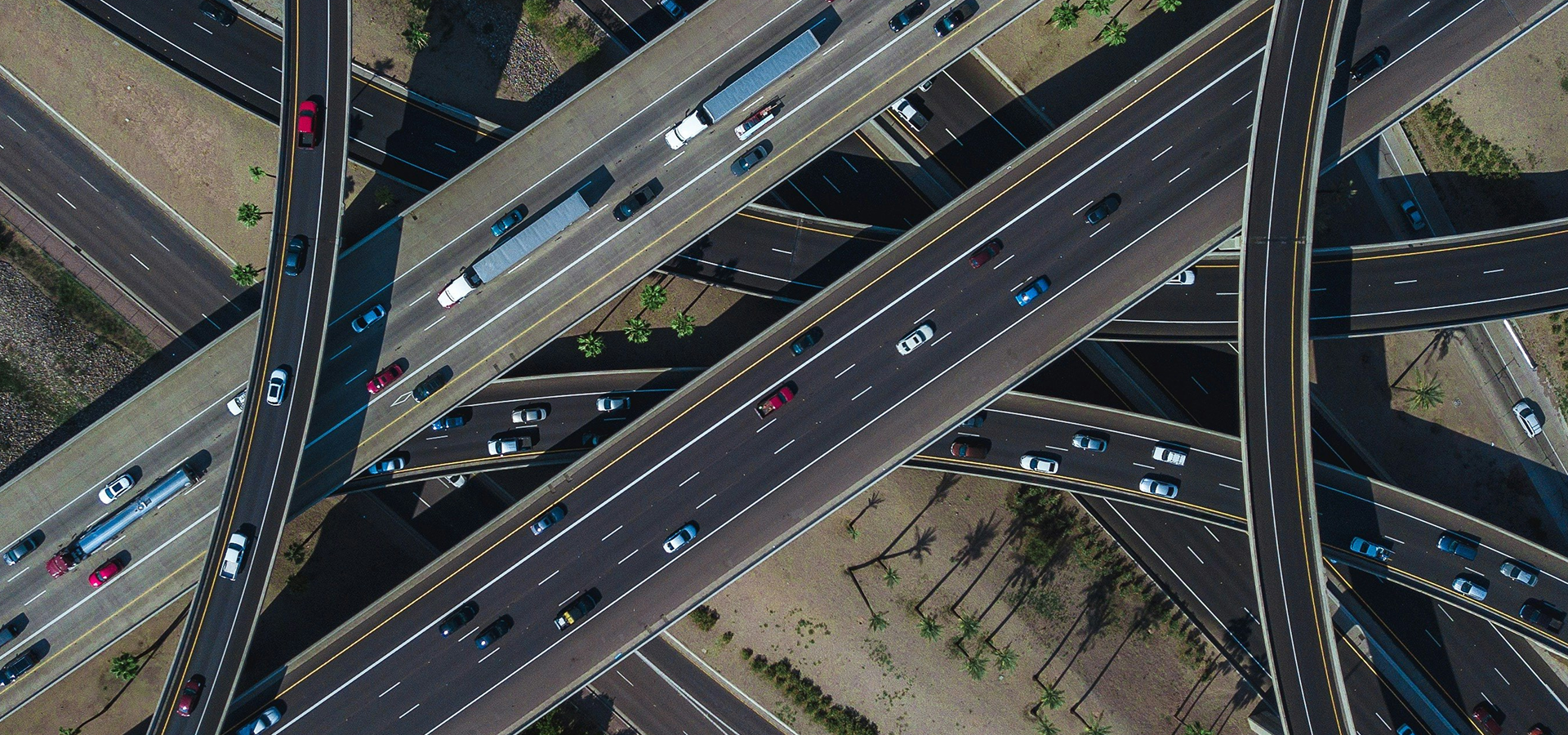
| Scene Attribute | Widely used in traffic management, road operations and maintenance scenarios such as expressways, urban expressways, viaducts, tunnels, and cross-sea bridges |
| Camera Installation | Front installation (recommended) and side installation |
| Camera Installation Height | 6–12 meters recommended, two or three lanes can be captured |
| Camera installation Angle | Recommended pitch angle is between 10°–15°, covering about 50 m–100 m (164.04 ft–328.08 ft) and lane inclination angle < 30° when side-mounted |
| Traffic Event Detection Performance |
| Video Resolution | 1080p or higher |
| Analysis Capability | xE: E refers to intelligent analysis card, and x refers to the number of the card.
A single intelligent analysis card supports simultaneous access analysis of 32 1080P cameras, except for special algorithms. Please see the product overview calculation formula for details |
| Traffic Event Detection Type | Includes parking, pedestrian on vehicle lane, non-motor vehicle, traffic jam, traffic flow statistics, littering, area intrusion, illegal lane change, wrong-way driving, reversing, construction, roadblock, traffic accident, agglomerate fog, smoke, fire, crossing solid line, overspeed and underspeed detection |
| Traffic Parameters | Traffic flow, average speed, time occupancy rate, space occupation rate, space headway, time headway and queue length |
| Parking Detection | According to test data (1080P access), the detection rate is 90%, and the effective rate is 90%. |
| Pedestrian Detection | According to test data (1080P access), the detection rate is 90%, and the effective rate is 90%. |
| Non-motor Vehicle Detection | According to test data (1080P access), the detection rate is 90%, and the effective rate is 90%. |
| Traffic Jam Detection | According to test data (1080P access), the detection rate is 90%, and the effective rate is 90%. |
| Traffic Flow Statistics | According to test data (1080P access), the traffic accuracy rate is over 90%. |
| Visibility Detection | Subject to actual test |
| Littering Detection | According to test data (1080P access), the detection rate is 80%, and the effective rate is 80%. |
| Area Intrusion Detection | According to test data (1080P access), the detection rate is 90%, and the effective rate is 90%. |
| Illegal Lane Change Detection | According to test data (1080P access), the detection rate is 90%, and the effective rate is 90%. |
| Wrong-way Detection | According to test data (1080P access), the detection rate is 90%, and the effective rate is 90%. |
| Reversing Detection | According to test data (1080P access), the detection rate is 90%, and the effective rate is 90%. |
| Construction Detection | According to test data (1080P access), the detection rate is 90%, and the effective rate is 80%. |
| Roadblock Detection | According to test data (1080P access), the detection rate is 90%, and the effective rate is 90%. |
| Traffic Accident Detection | Subject to actual test |
| Fire Detection | Subject to actual test |
| Smoke Detection | Subject to actual test |
| Line Crossing Detection | According to test data (1080P access), the detection rate is 90%, and the effective rate is 90%. |
| Overspeed Detection | Subject to actual test |
| Underspeed Detection | Subject to actual test |
| Port |
| Network | 2 × 10,000/1,000 Mbps gigabit Ethernet ports |
| USB | 2 front USB3.0 ports and 3 rear USB3.0 ports |
| VGA | 2 |
| DVI | 1 |
| PCIe | 8 × standard PCI e |
| Other Port | 1 RJ-45 management network port |
| General |
| Power Supply Mode | 100 V-127 V/200 V-240 V~, 50 Hz/60 Hz, 10 A/5 A |
| Power Redundancy | Dual power redundancy |
| Power Consumption | ≤ 800 W |
| Operating Temperature | +10 °C to +35 °C (+50 °F to +95 °F) |
| Operating Humidity | 35%–80% (RH), the maximum relative humidity during operation is 90% RH (+40 °C). |
| Storage Temperature | –40 °C to +60 °C (–40 °F to +140 °F) |
| Storage Humidity | 20%–93% (RH) |
| Gross Weight | 35.0 kg (77.16 lb) |
| Net Weight | 27.5 kg (60.62 lb) |
| Dimensions | 87.0 mm × 438.0 mm × 735.0 mm (3.43" × 17.24" × 28.94" ) (H × W × D) |
| Packaging Dimensions | 273.0 mm × 754.0 mm × 1069.0 mm (10.75" × 29.68" × 42.08'') (H × W × D) |
| Installation | Standard 19" rack installation with guide rail |
| Mean Time Between Failures | 69.6 years |
| Certification | CCC: 2019010911224727
CE: SHEM190901702201ATC/SHEM1909017022AT
FCC: SHEM190901702301ATC/SHEM1909017023AT |
| Filter |
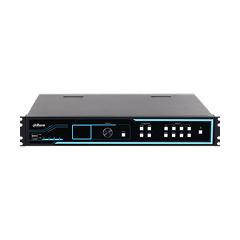
| Product Type | All-in-one server integrating software and hardware |















.png)





















.png)
.png)










.png)

-2025.jpg)